GP PowerKit – The perfect complement to GP Premium
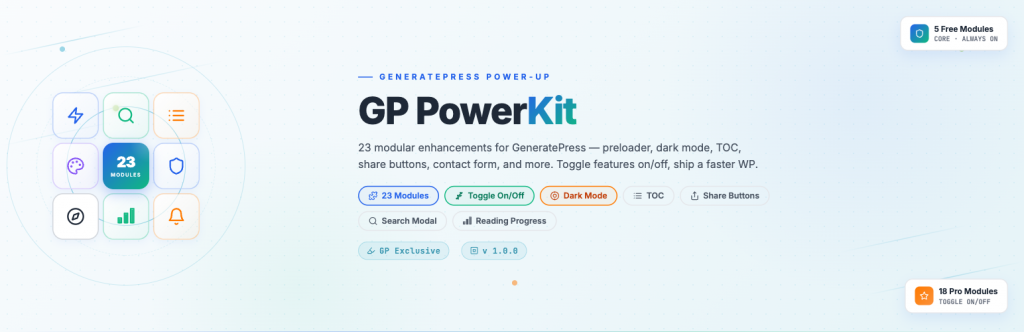
23 on-demand feature modules for GeneratePress. Toggle each one on or off. Zero bloat. Full control.
Replace 22 separate plugins with one. 23 on-demand modules, each loads only when enabled.
No bloat. No conflicts. Maximum performance.
Why GP PowerKit?
One Plugin, Zero Bloat Instead of installing 22 separate plugins — each adding its own menus, database queries, and attack surface — GP PowerKit delivers everything in one package. Disabled modules load zero PHP, CSS, or JavaScript.
Theme Buttons
Button style enhancements: uppercase, bold, accent color, outline, border radius.
Free
Frequently Asked Questions
General Questions
What is GP PowerKit?
GP PowerKit is a modular enhancement suite designed exclusively for the GeneratePress WordPress theme. It provides 23 feature modules that you can toggle on or off independently — including Dark Mode, Table of Contents, Share Buttons, Search Modal, and more.
Does this work with any theme?
No. GP PowerKit is designed exclusively for GeneratePress and its child themes. The plugin will display an admin notice and deactivate if GeneratePress is not the active theme.
Is GP Premium required?
No. The plugin works standalone with the free GeneratePress theme. Some features (such as secondary nav integration) work better when used together with GP Premium, but it is not a dependency.
Will this slow down my site?
No. Each module only loads its CSS and JavaScript when enabled. Disabled modules consume zero resources. There is no bloat — you only pay for what you use.
Can I use it with Elementor or Beaver Builder?
Yes. GP PowerKit enhances GeneratePress theme options and works alongside any page builder, including Elementor, Beaver Builder, Brizy, and Bricks.
Does it work with the block editor (Gutenberg)?
Yes. All modules are fully compatible with the block editor. Module settings can be configured either via the Customizer or per-page via the post editor.
Free Modules
Which modules are free?
Seven modules are free and always available:
- Theme Buttons – Button style enhancements
- Menu Item Styles – Custom navigation menu item styles
- Widget Spacing – Sidebar and footer widget spacing control
- Featured Image – Caption display and size controls
- Disable Patterns – Disable WordPress core block patterns
- Page Preloader – Top progress bar during page load
- 404 Page – Customize the 404 error page
Can I use the free version forever?
Yes. The 7 free modules have no time limit, no usage restrictions, and are part of the public WordPress.org distribution.
Pro Modules
Which modules are Pro?
Sixteen modules are available in the Pro version, including:
- Dark/Light Mode
- Table of Contents
- Share Buttons
- Search Modal
- Reading Progress
- Related Posts
- Author Box
- Contact Form
- Popup Messages
- Theme Meta
- Topline
- Title Section
- Header Login
- Header Style
- Footer Background
- Header Bottom Widget
How do I get the Pro modules?
Pro modules are activated with a license key delivered after purchase. Once activated, all Pro modules are unlocked without any further configuration.
Can I switch from Free to Pro later?
Yes. Your existing settings are preserved when you upgrade. After installing the Pro package and entering your license key, all Pro modules become available immediately.
Installation & Setup
How do I install GP PowerKit?
- Upload the
gp-powerkitfolder to/wp-content/plugins/ - Activate the plugin through the Plugins menu
- Go to Appearance → GP PowerKit to enable modules
- Configure each module’s settings under Appearance → Customize → GP PowerKit
Where do I configure module settings?
Module options are organized under the Customizer (Appearance → Customize → GP PowerKit). The plugin adds its own panel listing every available module.
Will my settings be preserved on update?
Yes. Settings are stored in the WordPress options table (wp_options) and are preserved across plugin updates.
Can I revert to default settings?
Yes. Each module’s settings can be reset individually from the Customizer panel.
Performance
How much overhead does each module add?
- CSS: 1–4 KB per enabled module
- JavaScript: 0–2 KB per enabled module (some modules are pure CSS)
- Total: typically less than 30 KB for a fully configured site
Does the plugin make external requests?
No. The plugin does not phone home, and no module makes requests to third-party services by default. The “Performance & Privacy” module actively prevents Google Fonts requests by hosting fonts locally.
Compatibility
Is it translation-ready?
Yes. All user-facing strings are wrapped with __() / esc_html__() and use the gp-powerkit text domain. A .pot template is included in the languages/ directory.
Does it work with WooCommerce?
Yes. GP PowerKit does not interfere with WooCommerce. If you use GP Premium’s WooCommerce add-on, the styles integrate cleanly.
What PHP version is required?
PHP 7.4 or higher.
What WordPress version is required?
WordPress 6.0 or higher.
Support & Updates
How do I get support?
- Free users: WordPress.org support forum
- Pro users: Direct email support at RocketWP, with priority response
How often is the plugin updated?
Updates are released regularly with new features, compatibility fixes, and security patches.
Is there a changelog?
Yes. Updates include detailed changelogs describing every change.